Your website is loading slow because of one or more common culprits, unoptimized images, poor hosting performance, excessive plugins or un minified code that is blocking the page from rendering quickly. If your site was fast before and has suddenly slowed down, the cause is usually something that changed recently, a new plugin, a bloated update or a spike in server load.
Speed is not just an annoyance for visitors, it is a measurable business problem. Research reveals that over half of mobile users leave a site if it takes longer than three seconds to load and even a one second delay can cut conversions by up to 7%. Google also treats page speed as a direct ranking factor, meaning a slow site does not just lose visitors, it loses visibility in search results too.
The good news is that most speed issues are diagnosable and fixable without a full site rebuild. Below, we’ll walk through exactly how to check what is slowing your site down, the most common root causes and the fixes that make the biggest difference, whether you’re on WordPress, Shopify, Squarespace or a custom build. If you’d rather skip the DIY process, our Website Speed Optimization service handles the full audit and fix for you.
Why Is My Website Loading Slow?
Your website is loading slow because it is carrying too much weight or friction somewhere in the delivery chain, oversized images, an overloaded server, excess plugins or code that hasn’t been optimized for fast rendering. In most cases it is not one single issue but a combination of small inefficiencies that add up to a noticeably sluggish experience. A proper technical SEO audit is usually the fastest way to pinpoint exactly which factors are dragging your load time down.
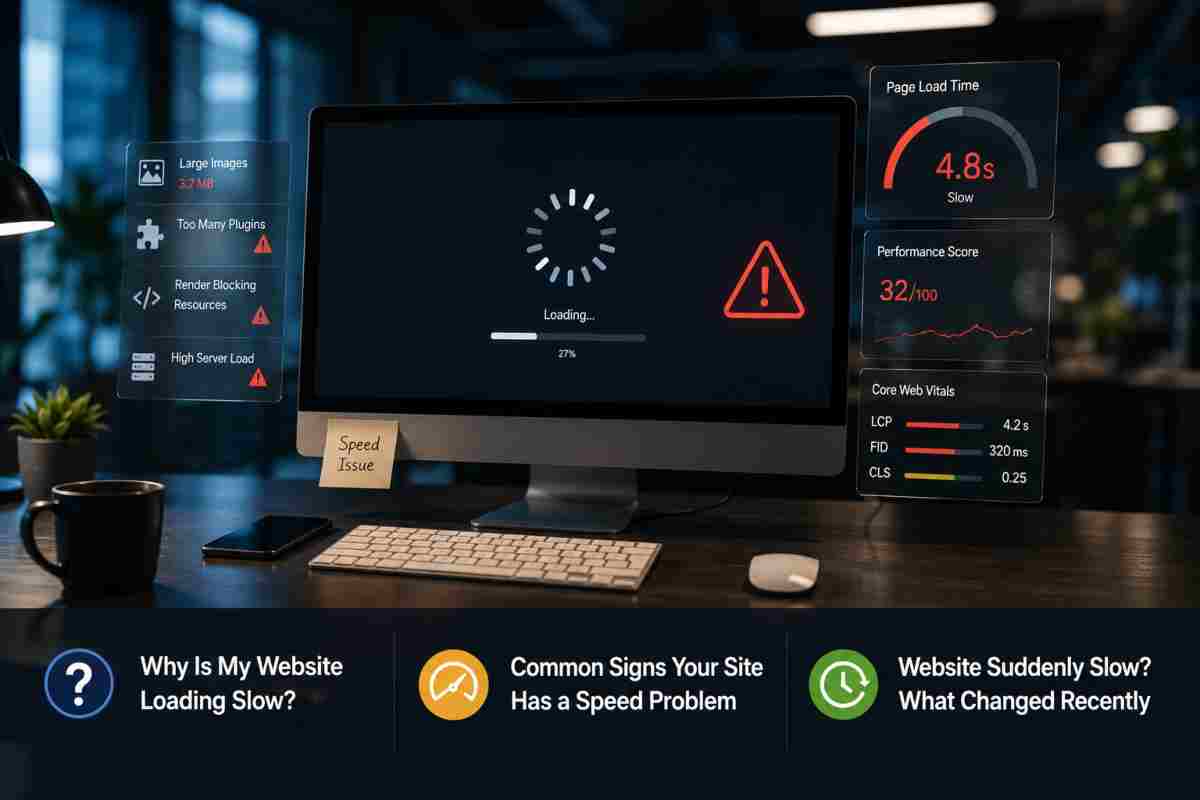
Common Signs Your Site Has a Speed Problem
A slow site rarely announces itself clearly, it shows up as behavior. Pages take a visible beat to display content, images pop in late or load in stages, buttons and forms feel unresponsive even after the page appears loaded and your bounce rate climbs while average session duration drops. If you check Google Search Console and see a rise in Core Web Vitals Poor URLs or your Page Speed Insights score sits in the red or orange zone, that a direct signal your site has a performance issue worth fixing.
Website Suddenly Slow? What Changed Recently
If your site was fine last week and is sluggish today, the cause is almost always something that changed recently rather than a problem that built up gradually. Common triggers include a new plugin or third party script you installed, a theme or CMS update, a batch of new images uploaded without compression, a traffic spike your hosting plan was not built to handle or a hosting/server side issue on your provider end. Checking your sites update log and recent activity, alongside a fresh speed test compared to your last good score, will usually surface the change responsible within a few minutes.
How to Check Why Your Website Is Slow
The most reliable way to check why your website loading slow is to run it through a dedicated speed testing tool rather than guessing based on how it feels to you. These tools break your load time down into specific, measurable issues, large images, blocking scripts, slow server response, so you can fix the actual cause instead of making random changes.
Running a Website Speed Test
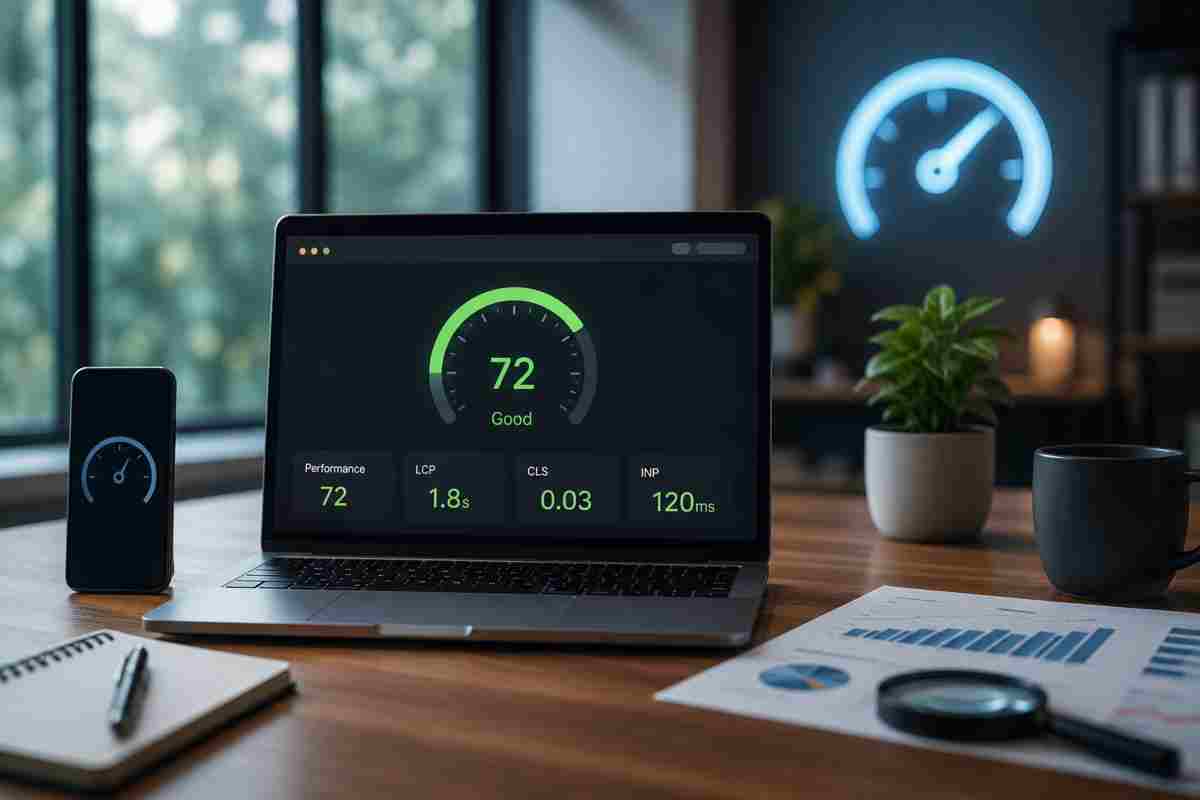
Free tools like Google Page Speed Insights, GT metrix and Web Page Test give you a full diagnostic in under a minute, just paste in your URL. Each tool tests both your mobile and desktop performance separately, since the two often score very differently and highlight the specific elements images, scripts, fonts, third party embeds adding the most delay. Running this test regularly, not just when something feels off, helps you catch small regressions before they become a real problem, something our regular monitoring and reporting service is built to handle automatically.
Reading Your Google Page Speed Insights Score
Page Speed Insights shows you a score from 0 to 100, along with separate lab data simulated results and field data real visitor experiences over the past 28 days. A score in the red 0–49 or orange 50–89 range signals real performance issues, but the number itself matters less than the Opportunities and Diagnostics sections below it, that is where the tool tells you exactly what’s slowing the page down and roughly how much time each fix would save.
Understanding Core Web Vitals LCP, CLS and INP
Core Web Vitals are the three metrics Google uses to judge real world page experience, Largest Contentful Paint (LCP) estimates how long it takes for the content to become visible, Cumulative Layout Shift (CLS) measures how much elements jump around as the page loads and Interaction to Next Paint (INP) estimates how fast the page responds once a visitor clicks or taps something. Google recommends an LCP under 2.5 seconds, a CLS score under 0.1 and an INP under 200 milliseconds, falling outside these thresholds is one of the clearest signals that your site has a speed problem search engines will penalize.
Top Causes of a Slow Loading Website
Most slow loading websites suffer from the same handful of root causes, heavy images, weak hosting, plugin bloat, blocking code or missing caching. Identifying which of these applies to your site is the difference between a quick fix and weeks of trial and error.

Unoptimized or Oversized Images
Images are consistently the single biggest contributor to page weight and an unoptimized hero image or product gallery can add several seconds to your load time on its own. High resolution photos uploaded straight from a camera or phone are often five to ten times larger than what a browser actually needs to display them at screen size. Compressing images, converting them to modern formats like WebP and serving properly sized versions for each device typically delivers one of the fastest, most noticeable speed improvements you can make.
Poor Hosting or Server Response Time
If your images and code are already lean but your site still feels sluggish, the bottleneck is often your server itself. Shared hosting plans split limited resources across hundreds of other websites, so your server response time can spike whenever a neighboring site experiences a traffic surge or runs an inefficient script. Upgrading to a hosting plan with dedicated resources or moving to a provider optimized for your specific CMS, is frequently the single change that resolves a stubbornly slow time to first byte.
Too Many Plugins or Bloated Code
Every plugin, script or third party integration you add loads its own code and that code has to be processed before your page finishes rendering. A site running dozens of plugins, many inactive or redundant, accumulates enough extra weight to noticeably slow every single page load. Regularly auditing what is actually installed, removing anything unused and keeping the rest current through consistent software and plugin updates prevents this kind of bloat from quietly building up over time.
Render Blocking JavaScript and CSS
Render blocking resources are scripts and stylesheets that the browser must fully load and process before it can display any content on the page, even if that content has nothing to do with the script itself. This is one of the most common issues flagged in Page Speed Insights reports and it is also one of the trickiest to fix without breaking site functionality, since it often requires reordering how scripts load or deferring non critical code. If a fix introduces a new bug or broken feature, that is exactly the kind of issue our website bug fixes and support team resolves quickly.
Missing Caching or CDN Setup
Without caching, your server has to rebuild each page from scratch for every single visitor, which wastes time and resources on content that rarely changes. Without a content delivery network (CDN), every visitor request has to travel all the way to your server’s physical location, no matter how far away they are. Enabling browser and server side caching, paired with a CDN that serves content from a location closer to the visitor, is one of the most reliable ways to cut load times significantly, especially for sites with a geographically spread out audience.
Why Is My Website Slow on Mobile But Fast on Desktop?
Your website is slow on mobile but fast on desktop because phones generally have less processing power, smaller amounts of memory and less consistent network conditions than desktop computers, so any inefficiency in your code or images gets amplified. A site that feels perfectly snappy on a fiber connection with a powerful laptop can feel sluggish on a mid range phone running on cellular data, even though it is the exact same page.

Mobile First Indexing Explained
Google now utilizes the mobile version of your site, not the desktop version, as the primary basis for indexing and ranking, a shift known as mobile first indexing. This means that if your mobile experience is slow, that is the performance Google factors into your search visibility, regardless of how fast your desktop version loads. A site that looks great in a desktop audit but has not been separately tested on mobile can be leaving significant ranking potential on the table without the owner ever realizing it.
Website Slow on WiFi vs Mobile Data
Network type plays a bigger role in perceived speed than most site owners expect. A stable WiFi connection can mask underlying inefficiencies that become obvious the moment a visitor switches to a spottier cellular connection, where every additional image, script or redirect adds noticeably more delay. Since visitors move between WiFi and mobile data throughout the day, a site that only performs well under ideal network conditions is effectively slow for a large share of real world traffic.
Fixing Mobile Specific Load Delays
Improving mobile speed usually comes down to reducing what the device has to download and process in the first place. Serving appropriately sized images for smaller screens, minimizing heavy animations and pop ups, deferring non essential scripts and choosing a responsive design over a separate desktop only layout all reduce the strain on lower powered devices and slower connections. Because mobile users are especially quick to abandon a slow page, over half leave if a site takes more than three seconds to load, these fixes tend to have an outsized impact on both bounce rate and conversions.
How to Fix a Slow Website Step by Step
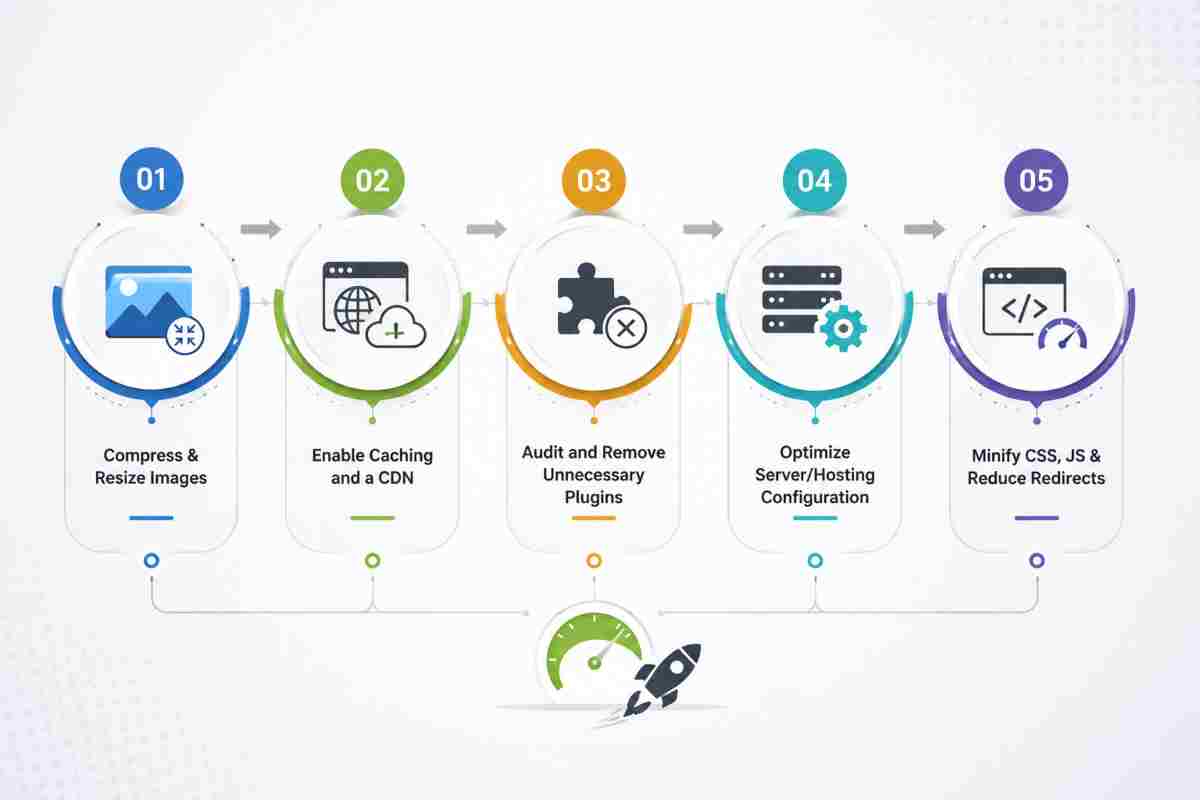
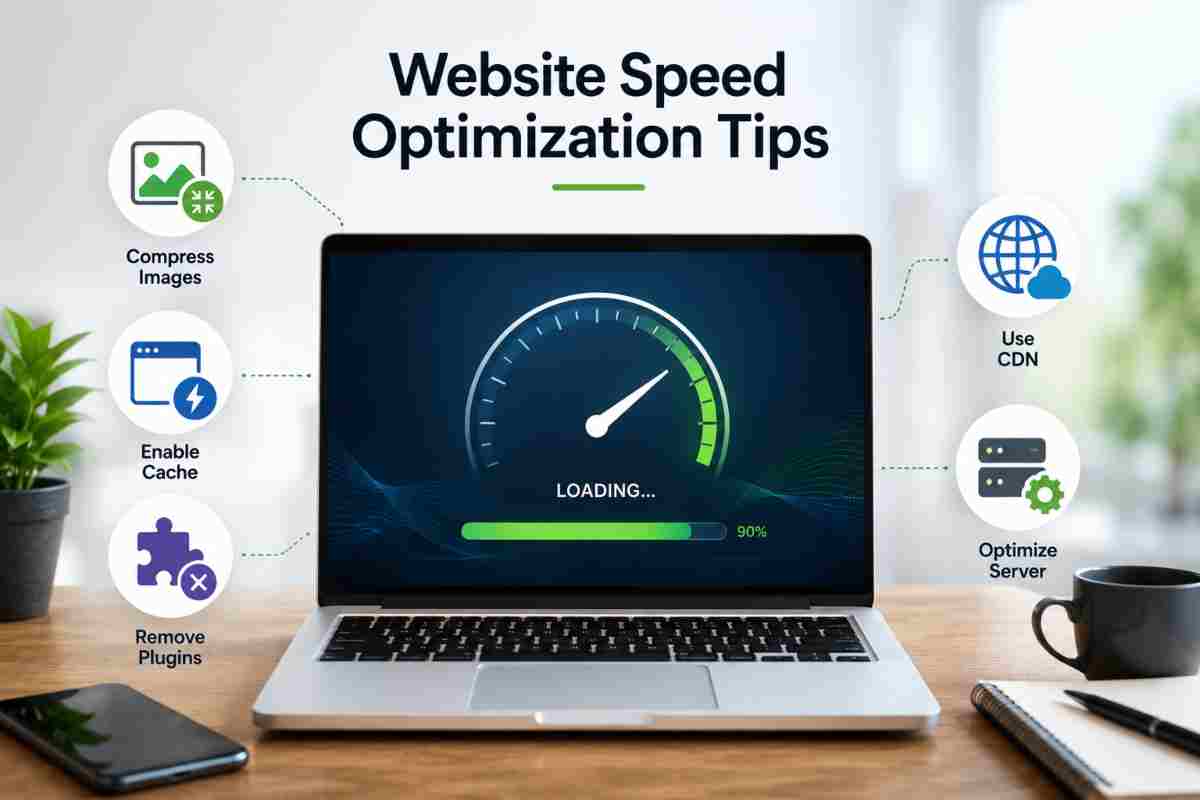
Fixing a slow website comes down to reducing what a browser has to download, process and request before it can display your page. Working through the following steps in order, starting with the highest impact changes first, will resolve the vast majority of speed issues without needing a full rebuild.
Compress and Resize Images
Start here, since images are almost always the fastest win available. Run existing images through a compression tool like Tiny PNG or Short Pixel, convert them to a modern format like WebP and make sure each image is uploaded at the actual dimensions it will display at rather than a much larger original. This single step alone can shave a meaningful amount of weight off a typical page without any visible loss in quality.
Enable Caching and a CDN
Caching stores a ready to serve version of your pages so your server does not have to rebuild them from scratch for every visitor, while a CDN serves that content from a server physically closer to each visitor location. Together, these two changes reduce both server load and delivery distance, which is especially valuable if your traffic is spread across different regions or countries. Most CMS platforms have caching plugins or built in settings that can be turned on in a few minutes with minimal configuration.
Audit and Remove Unnecessary Plugins
Go through your installed plugins and remove anything inactive, redundant or no longer serving a real purpose, each one adds code your site has to load whether it’s actively used or not. For the plugins you keep, make sure they are updated to their most delinquent versions, since outdated plugins are a common source of both security risk and unnecessary performance drag.
Optimize Server/Hosting Configuration
If your front end is already optimized but load times are still slow, your hosting environment is likely the bottleneck. Shared hosting plans split limited server resources across many other sites, so response times can suffer even when your own site is lean. Moving to a hosting plan built specifically for your CMS, like managed WordPress hosting, hands off server level optimization, security and performance tuning to specialists instead of leaving it to a generic shared server.
Minify CSS, JS and Reduce Redirects
Minifying your CSS and JavaScript strips out unnecessary characters, spacing and comments from your code, reducing file size without changing how it functions. Alongside this, review your site for redirect chains, cases where a visitor gets bounced through two or three URLs before reaching the final page and clean up any that are not strictly necessary, since each one adds extra round trip time before the page can even begin loading.
Website Speed Optimization Tips by Platform
Different platforms tend to develop speed problems for different reasons, since each one handles hosting, plugins and code in its own way. Here is what typically slows down each major platform and where to focus first.
Why Is My WordPress Site Slow?
WordPress sites usually slow down due to an accumulation of plugins, a heavy or poorly coded theme, unoptimized images and shared hosting that can not keep up with the site’s actual resource needs. Because WordPress relies so heavily on third party plugins for functionality, it is especially prone to gradual bloat that builds up unnoticed over months of adding new tools. Staying ahead of this usually requires ongoing attention rather than a one time fix, which is exactly what structured web maintenance packages are designed to handle.
WordPress Website Slow After Update What to Do
If your WordPress site got noticeably slower right after a core, theme or plugin update, the update itself is the most likely cause, new versions sometimes introduce heavier code, conflicting scripts or settings that reset to less efficient defaults. Start by checking your site’s changelog for what specifically changed, then re run a speed test to see if a particular plugin or the theme is the source. If the slowdown coincides with new errors or broken features, that combination often points to a compatibility conflict rather than a simple performance issue.
Why Is My Shopify Store Slow?
Shopify stores typically slow down due to heavy, image rich product pages, too many installed apps and third party scripts like chat widgets, reviews tools or marketing pixels running in the background. Because Shopify already handles hosting and server infrastructure, most speed problems trace back to what is been added inside the store rather than the platform itself, meaning app audits and image optimization tend to deliver the biggest gains.
Why Is My Squarespace Site Loading Slow?
Squarespace sites tend to slow down from oversized image and video files, heavy use of animations or parallax effects and embedded third party content like videos, forms or fonts loaded from external sources. Since Squarespace offers less granular backend control than platforms like WordPress, the most effective fixes usually involve trimming visual elements and reducing external embeds rather than server level configuration changes.
How Fast Should Your Website Load?
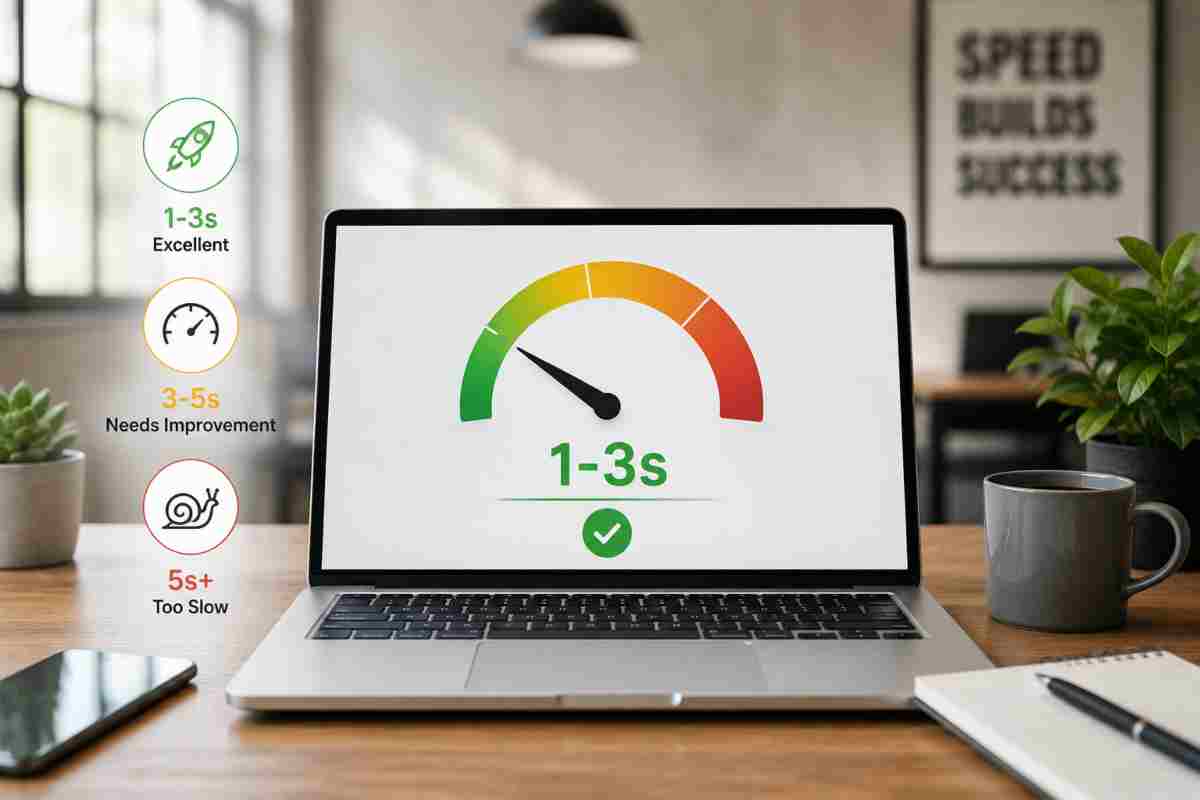
It is great if your website can load in just 2 to 3 seconds to meet visitor expectations and avoid losing traffic to slower pages. Beyond that window, both user patience and search engine tolerance drop off sharply, making speed one of the few technical benchmarks with a fairly universal target.
Ideal Load Time Targets Under 2–3 Seconds
Most performance experts point to 2–3 seconds as the practical ceiling for full page load, with the first meaningful content ideally appearing even faster than that. This is not an arbitrary number, it reflects a well documented drop off point in visitor behavior, with over half of mobile users abandoning a webpage that loads in more than three seconds. Even small delays compound quickly, a one second increase in load time has been shown to reduce conversions by up to 7%, which makes speed a direct revenue factor, not just a technical one.
How Site Speed Affects SEO Rankings
Google has confirmed page speed as a direct ranking factor and it also shapes rankings indirectly through user behavior signals like bounce rate and dwell time. A slow site tends to push visitors away before they engage with content, which search engines interpret as a weaker user experience and factor into how the page is ranked. Speed also affects crawl budget, the amount of time search engines are willing to spend crawling your site, meaning slow pages can get indexed less frequently, delaying how quickly new content or updates show up in search results.
Conclusion
Why Is My Website Loading Slow is almost never caused by one single issue, it is usually a combination of heavy images, weak hosting, plugin bloat and unoptimized code working against you at the same time, which is exactly why a systematic diagnosis matters more than guesswork. The good news is that every cause covered above has a clear, actionable fix and most sites see a noticeable improvement after addressing just the top two or three culprits. If you’d rather have a team handle the audit and fixes for you, It Leadz offers full website speed optimization, technical SEO and ongoing maintenance so your site stays fast well beyond the initial fix.
Frequently Asked Questions (FAQs)
Why is my site loading slow all of a sudden?
A sudden slowdown usually traces back to something that changed recently, a new plugin, a theme update, a batch of unoptimized images or a spike in traffic your hosting can not handle. Checking your site’s recent activity log against a fresh speed test usually reveals the cause within minutes.
How do I permanently speed up my website?
Permanent speed gains come from fixing root causes, not one time tweaks, compress images at upload, enable caching and a CDN, keep plugins minimal and updated and choose hosting built for your platform. Ongoing monitoring prevents new bloat from quietly slowing things down again.
Does a slow website hurt my Google rankings?
Yes, page speed is a confirmed Google ranking factor and it also hurts rankings indirectly through higher bounce rates and lower dwell time. Slow sites can also lose crawl budget, meaning search engines index new content less frequently.
Why is my website slow even after clearing the cache?
If clearing the cache does not help, the bottleneck is likely elsewhere, oversized images, a slow server response time or render blocking scripts that caching alone can not fix. Run a fresh Page Speed Insights test to see exactly what is still adding delay.
Can too much traffic make my website slow?
Yes, a sudden traffic surge can overwhelm a server that is not provisioned to handle it, especially on shared hosting plans splitting resources across multiple sites. Upgrading to a hosting plan with more dedicated capacity usually resolves traffic driven slowdowns.