Why did my website traffic suddenly drop, it is usually caused by one of a handful of things, a Google algorithm update, a technical error like an accidental no index tag, a lost batch of backlinks or a recent site migration or redesign that broke something under the hood. The good news is that most sudden drops are diagnosable within minutes if you know where to look and recoverable once you find the actual cause.
It’s a more common problem than most site owners realize, Google rolls out several confirmed core updates every year, each capable of reshuffling rankings across entire industries overnight, which is why a perfectly healthy site can see a traffic cliff with no warning. The key is not panicking and guessing, but working through a structured diagnosis, confirm the drop is real, isolate which channel it is coming from, match it against known causes, then fix it. That is exactly what this guide walks through below.
If your traffic drop turns out to be bigger than a quick fix, our web solutions team can run a full diagnostic and rebuild what is broken.
What a Sudden Traffic Drop Actually Means
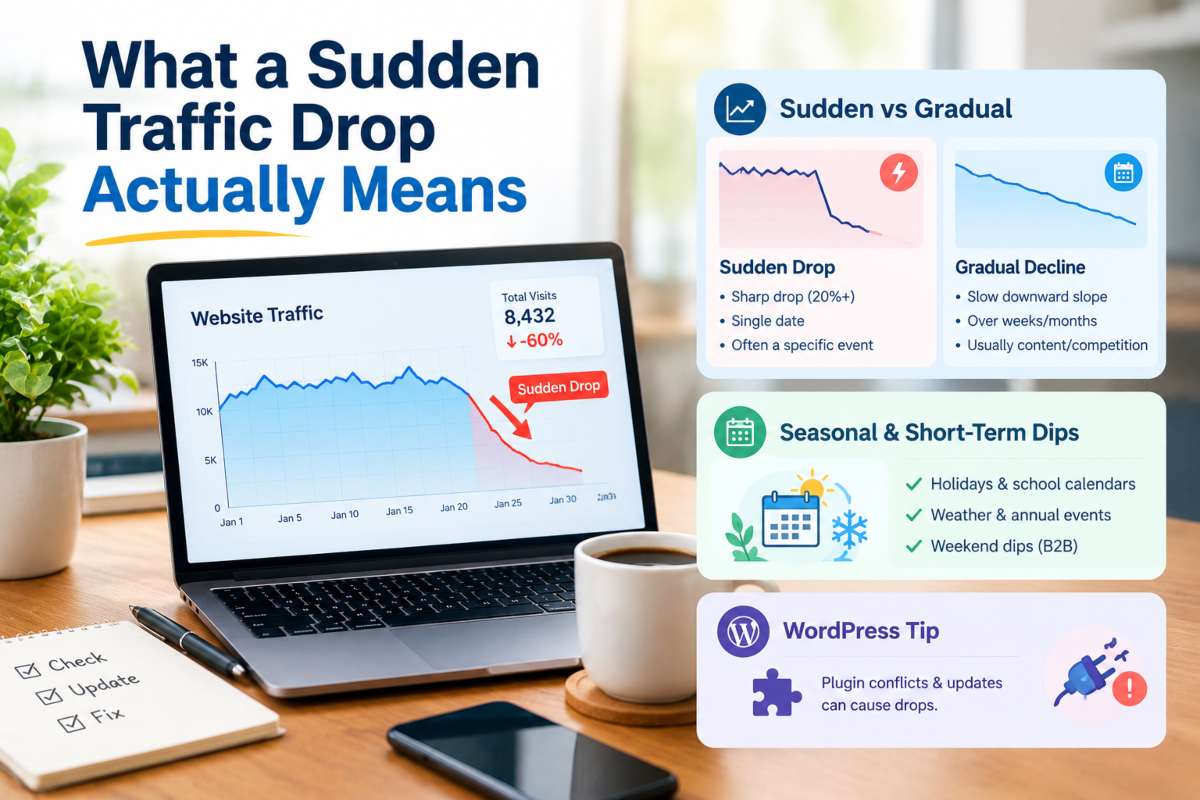
A sudden traffic drop means your visits fell sharply within a short window, typically 20% or more within a few days, rather than tapering off gradually over weeks or months. The distinction matters because sudden drops almost always trace back to a single identifiable event, while gradual declines usually point to slower moving issues like content decay or growing competition.
Sudden drop vs gradual decline, how to tell the difference
The clearest way to tell them apart is by looking at the shape of the line in your analytics, not just the percentage lost. A sudden drop shows up as a sharp vertical cliff on a specific date, traffic is steady, then it isn’t, often correlating with a known event like a Google update rollout, a migration or a site change you made.
A gradual decline looks more like a slow downward slope over several weeks, with no single day standing out, which usually signals content aging out of relevance, rising competition or a slow accumulation of technical debt. If you can point to a specific date where the line breaks, you’re dealing with a sudden drop and the cause is almost certainly traceable.
Is this normal? Seasonal and short term dips explained
Not every drop is a problem, some are simply seasonal or cyclical. Industries tied to holidays, school calendars, weather or annual events routinely see traffic dips of 15 30% during their off season and this pattern typically repeats at the same time each year if you check historical data.
Weekend dips are also normal for B2B sites, since search volume for business related queries naturally falls when offices are closed. Before troubleshooting anything, compare the current drop to the same period last year: if the shape matches a recurring pattern, it’s seasonal, not a sign that something broke. If it’s a first time drop with no historical precedent, treat it as sudden and start diagnosing.
If you’re running this diagnosis on a WordPress site, plugin conflicts and update related breakage are a frequent hidden cause, our WordPress solutions team can audit your site and pinpoint what changed.
How to Confirm the Drop Is Real (Not a Tracking Error)
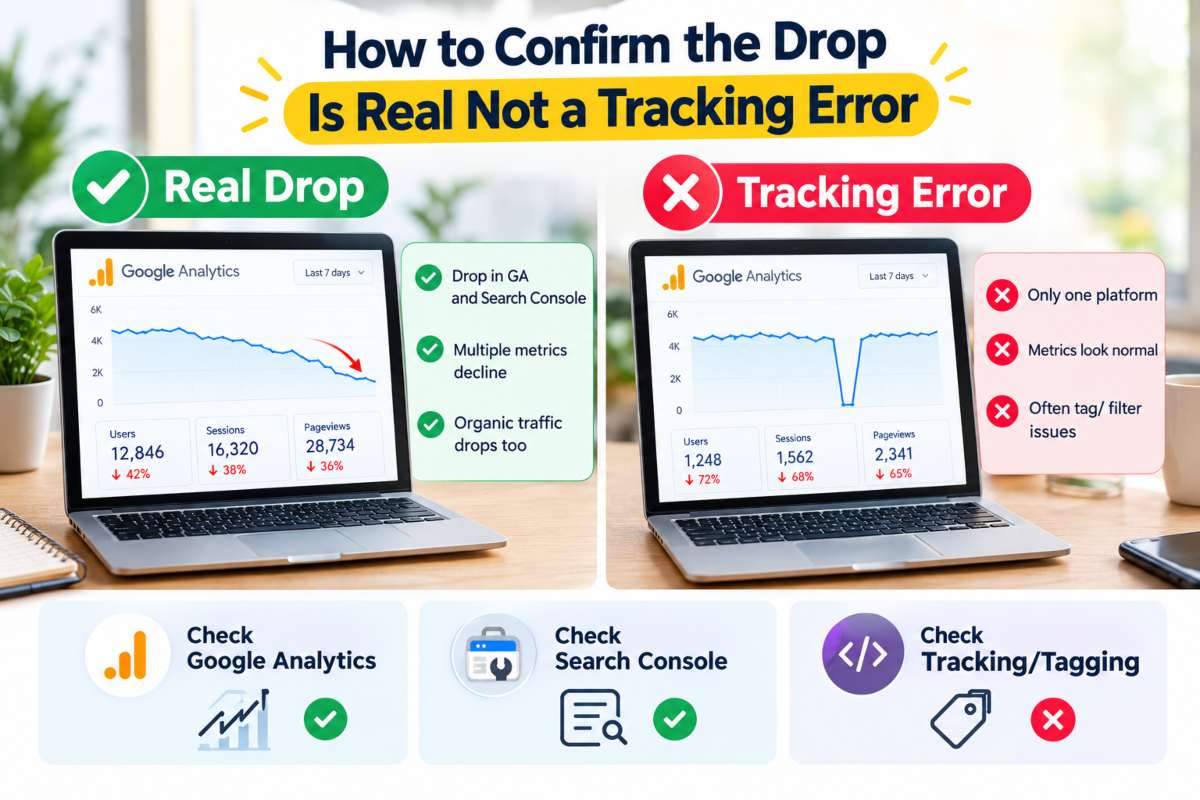
Before you dig into causes, confirm the drop is actually happening and not an artifact of broken tracking, a surprising number of “traffic drops” turn out to be a tracking code that stopped firing, not a real loss of visitors. Cross checking Google Analytics against Google Search Console is the fastest way to tell the difference.
Checking Google Analytics for a traffic drop
Start in Google Analytics by comparing the affected date range against the same period the week or month before, using the built in comparison view rather than eyeballing two separate reports.
Break the traffic down by channel organic, direct, referral, paid, because a drop isolated to one channel points to a specific cause, while a drop across every channel simultaneously almost always means a tracking or tagging issue rather than a real loss of visitors. Also check whether the drop lines up with a specific page, device type or geography, since a partial drop (say, only mobile or only one landing page) rules out account wide tracking failure and narrows the investigation considerably.
Google Search Console traffic drop, what to check first
Search Console shows you what Google itself is seeing, which makes it the best cross check against Analytics. Open the Performance report and compare clicks and impressions over the same window, if impressions stayed flat but clicks fell, that’s a CTR problem (often a lost featured snippet or a competitor outranking you), but if both impressions and clicks collapsed together, that points to a ranking or indexing issue. The Coverage and Indexing reports are the next stop, since a spike in “Excluded” or “Not indexed” pages is one of the most common real causes of a sudden drop and shows up here before it shows up anywhere else.
Common tracking/tagging errors that fake a drop
A large share of reported “traffic drops” aren’t traffic problems at all, they’re measurement problems. The most frequent culprits are a Google Analytics or Google Tag Manager tag that got accidentally removed during a site update, a cookie consent banner blocking tracking scripts by default, a duplicate or conflicting GA4 property splitting your data or a caching plugin serving a cached page that never fires the tracking code.
If your drop coincided with any recent site change, a new theme, a plugin update, a consent banner installation, check the tag firing status in GA4’s DebugView or Tag Assistant before assuming the traffic itself is gone. It’s also worth noting that a drop in traffic isn’t the only metric worth auditing, sites that fixed broken tracking often discover a second issue sitting right behind it, visitors are arriving but not converting. If that’s the case here, our guide on how to fix low website conversion rate walks through the most common causes.
Top Causes of a Sudden Website Traffic Drop
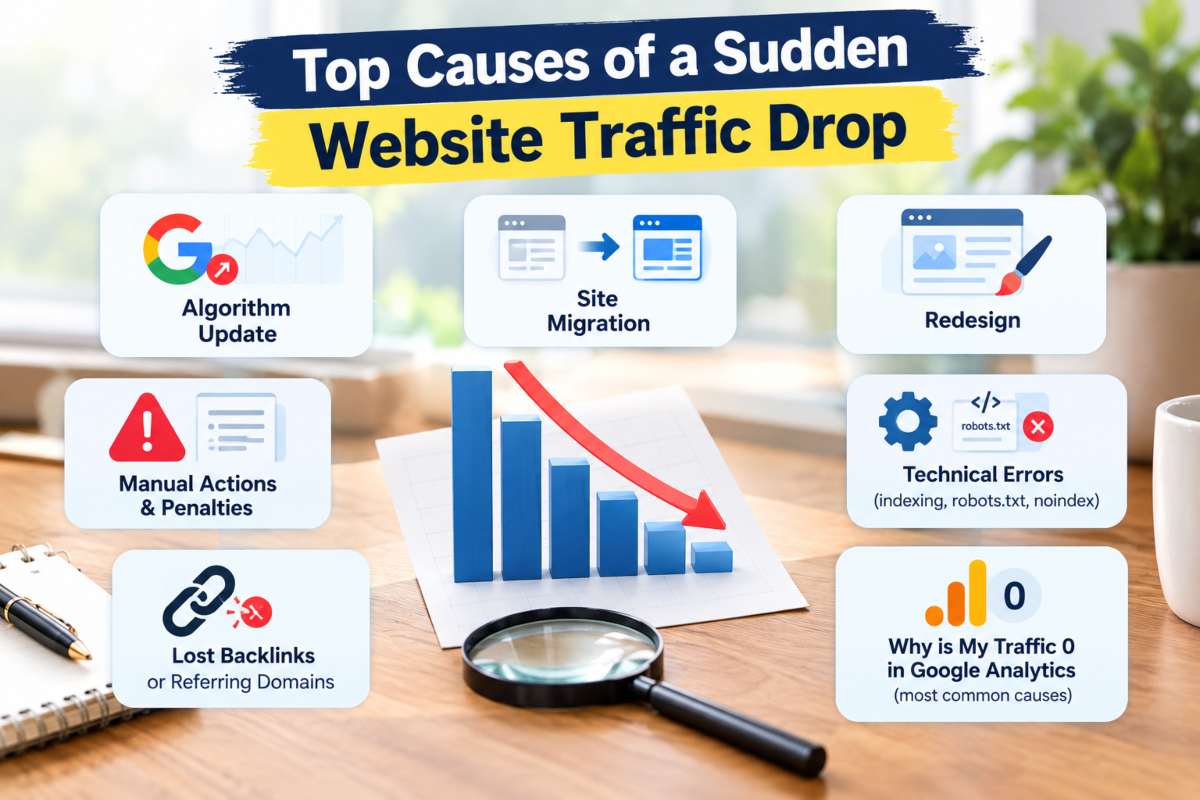
A sudden website traffic drop is almost always traceable to one of seven causes: a Google algorithm update, a site migration, a redesign, a manual penalty, a technical indexing error, a loss of backlinks or a broken tracking setup. Working through these in order, starting with the most common, usually surfaces the answer quickly.
Google algorithm update traffic drop
Google rolls out several confirmed core updates every year, plus a steady stream of smaller, unannounced ones and any of them can reshuffle rankings across an entire industry within days. If your drop coincides with a known update rollout (check Google’s Search Status Dashboard for confirmed dates), the likely cause is a shift in how Google evaluates content quality, E E A T signals or relevance in your niche, not something broken on your site. Recovery here typically means improving on page SEO, content depth, structure and search intent alignment, rather than a quick technical fix.
Traffic drop after site migration
Migrations, moving to a new domain, switching from HTTP to HTTPS or changing your CMS, are one of the most common self inflicted causes of a sudden drop, because they touch URLs, redirects and site structure all at once.
The usual culprits are missing or incorrect 301 redirects, an updated XML sitemap that never got resubmitted to Search Console or internal links still pointing to old URLs. A properly executed migration should show minimal traffic disruption; a sharp drop right after one almost always means a step in the redirect mapping was missed.
Traffic drop after redesign
A redesign can tank traffic even without a URL change, usually because content got shortened or removed, page speed slowed down due to heavier design elements or the new template altered heading structure and internal linking in ways that confuse crawlers. Compare the old and new versions of your top pages, if word count, headings or internal links dropped significantly in the redesign, that’s very likely your answer.
Manual actions and penalties
A manual action is Google directly penalizing your site for violating its guidelines, commonly unnatural link schemes, thin or duplicate content or spammy structured data. This shows up explicitly in Search Console under “Security & Manual Actions,” so it’s one of the easiest causes to rule in or out. Manual actions tend to cause the steepest, most sudden drops of any cause on this list, sometimes removing a site from search results almost entirely overnight.
Technical errors (indexing, robots.txt, no index tags)
A single misconfigured line can deindex an entire site: an accidental “Disallow: /” left in robots.txt, a no index tag pushed live in a template update or a broken canonical tag pointing every page to one URL. These errors are especially common right after a deploy, since they’re invisible in a normal site visit and only show up in Search Console’s Coverage report or a live crawl. This is squarely a technical SEO issue and it’s worth auditing first whenever a drop follows a recent development change.
Lost backlinks or referring domains
If a high authority site removes a link to you, changes its own URL structure or goes offline entirely, the ranking value that link was passing can disappear with it and if enough links vanish in a short window, rankings and traffic can drop noticeably. A backlink audit tool (Ahrefs, Search Console’s Links report) will show a spike in “lost” referring domains around the date of the drop. This is where ongoing off page SEO work matters, a diversified backlink profile means losing a handful of links doesn’t sink your rankings.
Why is my traffic 0 in Google Analytics, the most common causes
Traffic showing as zero (rather than just lower) is almost never a real loss of visitors, it’s a tracking failure. The most frequent causes are a GA4 tracking tag that got removed or broken during a site update, a property or data stream misconfiguration, a consent banner blocking analytics scripts by default or a caching layer serving pages without the tracking script firing. Before assuming your site lost all its traffic, verify the tag is firing correctly using GA4’s DebugView or the Tag Assistant browser extension.
Organic vs Paid vs Direct, Where Is the Drop Coming From?
Isolating which channel lost traffic is the fastest way to narrow down the cause, since organic, paid and referral drops point to almost entirely different problems. Breaking your traffic report down by channel before investigating anything else saves hours of chasing the wrong fix.

Organic traffic dropped suddenly, what it signals
When organic traffic drops while paid, direct and referral stay flat, the cause is almost always search related, an algorithm update, a ranking loss or an indexing issue rather than anything happening off site.
This is the most common pattern site owners report, since organic search typically drives the largest share of total traffic for most sites, so any ranking volatility shows up here first and hardest. If organic is the only channel affected, the investigation should focus on Search Console’s Performance and Coverage reports rather than looking at backlinks or ad accounts.
Google Ads traffic drop, budget, disapproval and bidding issues
A drop isolated to paid traffic points to your ad account, not your site’s search visibility. The most common causes are a campaign hitting its daily budget cap earlier than usual, an ad or landing page getting disapproved for a policy violation, a bidding strategy shift lowering your ad rank or a payment issue pausing the account entirely. Because these causes sit inside Google Ads rather than the site itself, the fix is almost always found in the campaign’s status and diagnostics tab, not in your analytics setup.
Referral and social traffic drops
A drop in referral or social traffic usually traces back to something outside your control: a partner site removing a link, a social platform changing its algorithm to favor different content types or a previously viral post simply running its course.
Because this channel typically contributes a smaller share of total traffic than organic or direct, a referral drop rarely explains a large overall traffic decline on its own, if your total traffic fell sharply but referral was the only channel down, it’s worth checking whether that channel was carrying more weight than expected or whether the real drop is actually organic and referral loss is a coincidence.
Platform Specific Traffic Drops
Shopify and WordPress sites tend to lose traffic for different reasons than custom built sites, largely because both platforms rely heavily on themes, apps and plugins that can silently break SEO fundamentals during routine updates. Knowing which platform specific issue to check first can cut hours off the diagnosis.
Shopify traffic dropped, common causes
A Shopify traffic drop is frequently tied to app installs or theme changes rather than anything algorithmic. Installing or removing an app can leave orphaned scripts that slow page speed, a theme change can wipe out custom meta tags and alt text that took months to build and duplicate content from Shopify automatic collection and tag URLs can quietly dilute rankings across near identical pages.
Product page URL changes are another frequent cause, Shopify doesn’t always redirect old URLs cleanly when products are reorganized into new collections, which can deindex pages that were previously ranking well. If the drop followed an app install, theme switch or product reorganization, that’s the place to start.
WordPress traffic drop, plugin, theme and update conflicts
WordPress traffic drops most often trace back to a plugin or core update that changed something without warning. An SEO plugin update can reset meta tags or robots directives to default settings, a caching plugin can serve stale or broken pages to Googlebot and a theme update can alter heading structure or strip schema markup that was supporting rich results.
Because WordPress sites often run 15 20+ active plugins on average, a conflict between two plugins after an update is one of the most common and most overlooked, causes of a sudden drop, since neither plugin is “broken” on its own, only when they interact. If you are running an online store, our Shopify SEO solutions team can audit app conflicts and theme related SEO gaps. For WordPress sites where speed or plugin conflicts are the likely culprit, WordPress performance optimisation is worth a closer look.
Sudden Traffic Drop Checklist (Step by Step)
Diagnosing a sudden traffic drop is fastest when you work through it in a fixed order, from confirming the drop is real to identifying the exact cause, rather than jumping between theories. The checklist below follows the same sequence covered earlier in this guide, condensed into a step by step format you can run through in one sitting.
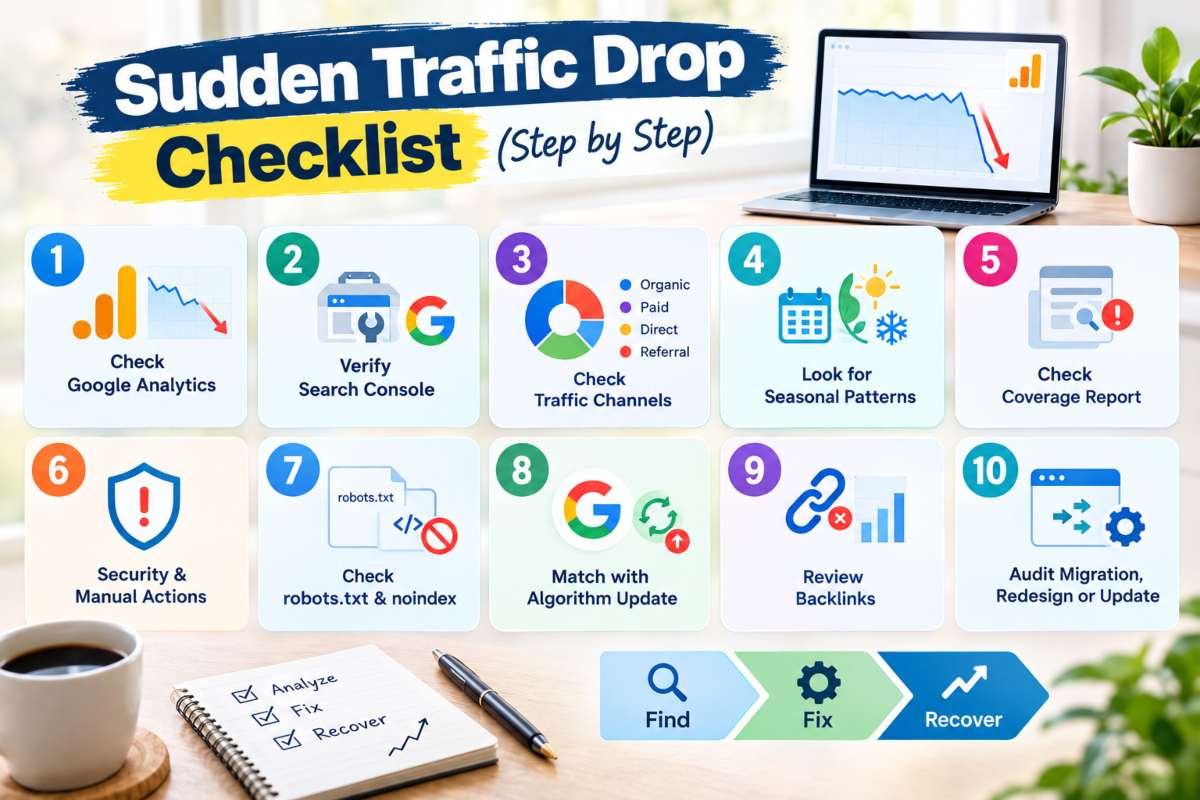
10 point diagnostic checklist
- Confirm the drop in Google Analytics using the comparison view against the prior period
- Cross check the same date range in Google Search Console to rule out a tracking error
- Break traffic down by channel (organic, paid, direct, referral) to isolate where the drop is happening
- Check whether the drop is sudden (a sharp cliff) or matches a seasonal pattern from last year
- Review Search Console’s Coverage report for a spike in “Excluded” or “Not indexed” pages
- Check the Security & Manual Actions report for a manual penalty
- Verify robots.txt and key page templates for an accidental “noindex” or “Disallow” tag
- Check whether the drop date lines up with a confirmed Google algorithm update
- Review your backlink profile for a spike in lost referring domains
- If the drop followed a migration, redesign or platform update, audit redirects and template changes from that specific date
Tools to use at each step
Google Analytics and Google Search Console cover most of this checklist on their own, Analytics shows the scale and channel of the drop, while Search Console shows indexing status, manual actions and how Google itself is seeing the site. For backlink loss, a tool like Ahrefs or Search Console own Links report will surface newly lost referring domains.
For technical checks like robots.txt and noindex tags, a live crawl tool (Screaming Frog or Search Console’s URL Inspection tool) confirms what’s actually being served to Googlebot, which is more reliable than checking the page manually in a browser.
How to Recover Lost Website Traffic
Recovering lost website traffic starts with fixing the specific cause you identified, not with generic SEO improvements, a technical error needs a technical fix and an algorithm related drop needs a content and quality fix. The right recovery path depends entirely on what caused the drop in the first place.
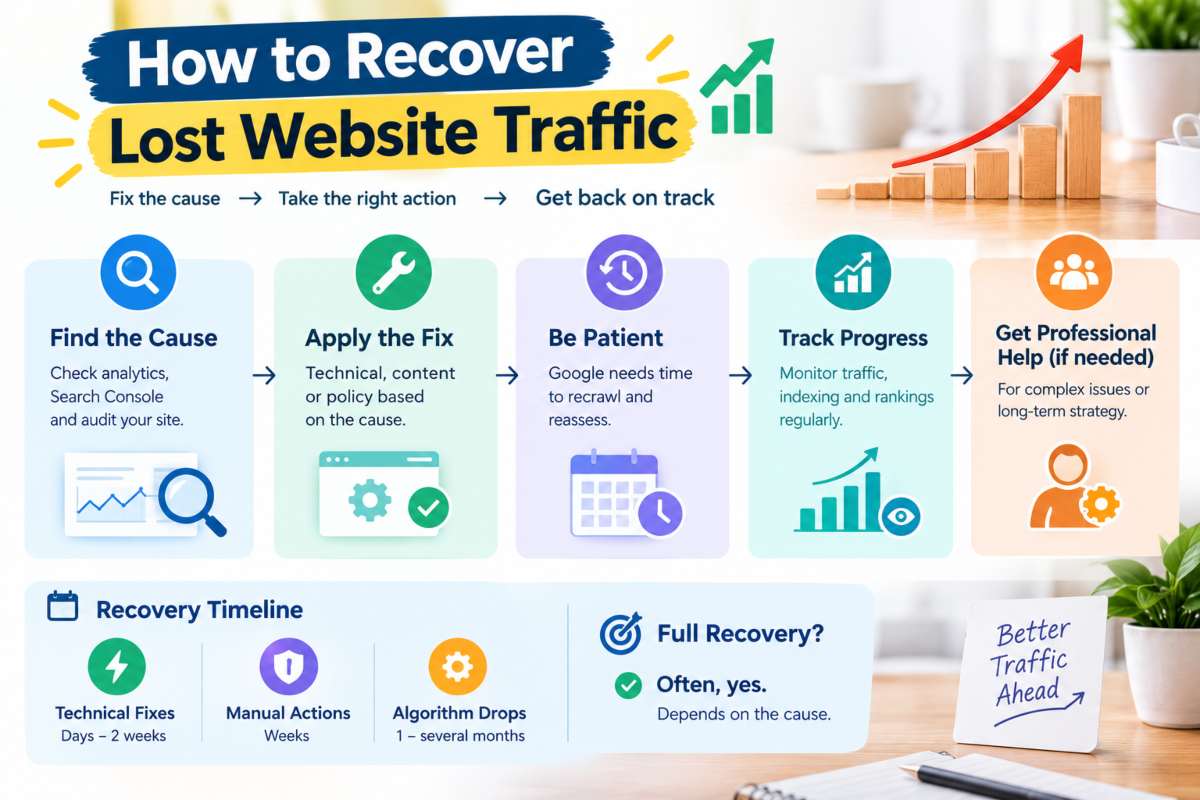
How to fix a sudden drop in traffic, immediate actions
Once you have identified the cause, the immediate fix follows directly from it, reverse an accidental noindex tag or robots.txt block right away, since these are typically resolved within days once Google recrawls the page, submit a reconsideration request in Search Console if a manual action is confirmed, rebuild missing 301 redirects if a migration broke URL mappings, or restore stripped content and internal links if a redesign is the culprit. For algorithm related drops, there is no single fix to apply, instead, the priority is auditing affected pages against Google’s quality guidelines and improving depth, accuracy and search intent alignment over the following weeks.
Can a website fully recover from a traffic drop?
Yes, in most cases, but recovery depends heavily on the cause. Technical and tracking errors typically see full recovery once fixed, since nothing about the site’s actual quality or authority was ever damaged. Manual actions can also fully recover once the violation is resolved and a reconsideration request is approved.
Algorithm driven drops are the least predictable, some sites recover fully once content quality improves, while others see partial recovery, since Google’s updates sometimes reflect a permanent shift in what it considers the best answer for a query, not just a temporary reassessment.
How long does it take to recover lost traffic?
Recovery timelines vary widely by cause. Technical fixes like removing a noindex tag or fixing a robots.txt error often show improvement within days to two weeks, once Google recrawls the affected pages. Manual action recovery typically takes several weeks, since it requires a reconsideration request and manual review by Google. Algorithm related drops are the slowest and least predictable, often taking anywhere from one to several months, since recovery depends on demonstrating sustained quality improvements rather than a single fix Google can immediately re verify.
When to bring in an SEO professional
It’s worth bringing in a professional when the cause isn’t obvious after working through the diagnostic checklist, when the drop is tied to a manual action or algorithm update requiring a broader content strategy or when the fix requires technical changes beyond your team’s capacity. Beyond the initial fix, ongoing regular monitoring and reporting is what catches the next drop early, before it turns into a multi week recovery process.
Conclusion
A sudden website traffic drop almost always has a specific, findable cause, an algorithm update, a technical error, a lost batch of backlinks or a change made during a migration or redesign and once that cause is identified, the fix is usually straightforward, confirm the drop is real, isolate which channel it is coming from, match it against the most common causes and apply the fix that matches, rather than guessing or making broad changes that do not address the actual problem.
Most sudden drops are recoverable and many resolve within days once the root cause, a noindex tag, a broken redirect, a missing tracking script, is corrected, while the ones that take longer, like algorithm driven drops or manual actions, still respond to a structured approach, they just require patience and sustained quality improvements rather than a single quick fix. If you have worked through this guide and you are still not sure what is causing your drop or you’d rather have it diagnosed and fixed by someone who does this daily, IT LEADZ can run a full audit and get your traffic back on track.
Frequently Asked Questions (FAQs)
Why did my website traffic drop overnight?
An overnight drop is usually caused by a technical error (a noindex tag, broken redirect or robots.txt block), a manual action or a same day algorithm update. Check Search Console’s Coverage report and Security and Manual Actions tab first, since both changes show up there before anywhere else.
Why is my website not getting traffic anymore?
This typically points to a de indexing issue, a severe ranking drop from an algorithm update or a tracking failure making it look like traffic disappeared when it hasn’t. Start by checking whether your pages are still indexed in Google Search Console.
Why did my organic traffic drop?
Organic specific drops are almost always search related, an algorithm update, lost rankings or an indexing error, rather than an issue with paid or referral traffic. Compare your Search Console impressions and clicks over the same period to confirm.
How long does it take to recover lost traffic?
Technical fixes often show recovery within days to two weeks once Google recrawls the site. Algorithm related drops take longer, typically one to several months, since recovery depends on sustained quality improvements rather than a single fix.